Overview
Download products let you sell PDFs, templates, presets, ZIP bundles, and more. Buyers get a secure download library after checkout instead of raw email attachments.
Before you start
- Creator account on Kobocourse.
- Files ready to upload (PDF, ZIP, images, audio, or video).
Step 1
Create a digital download product
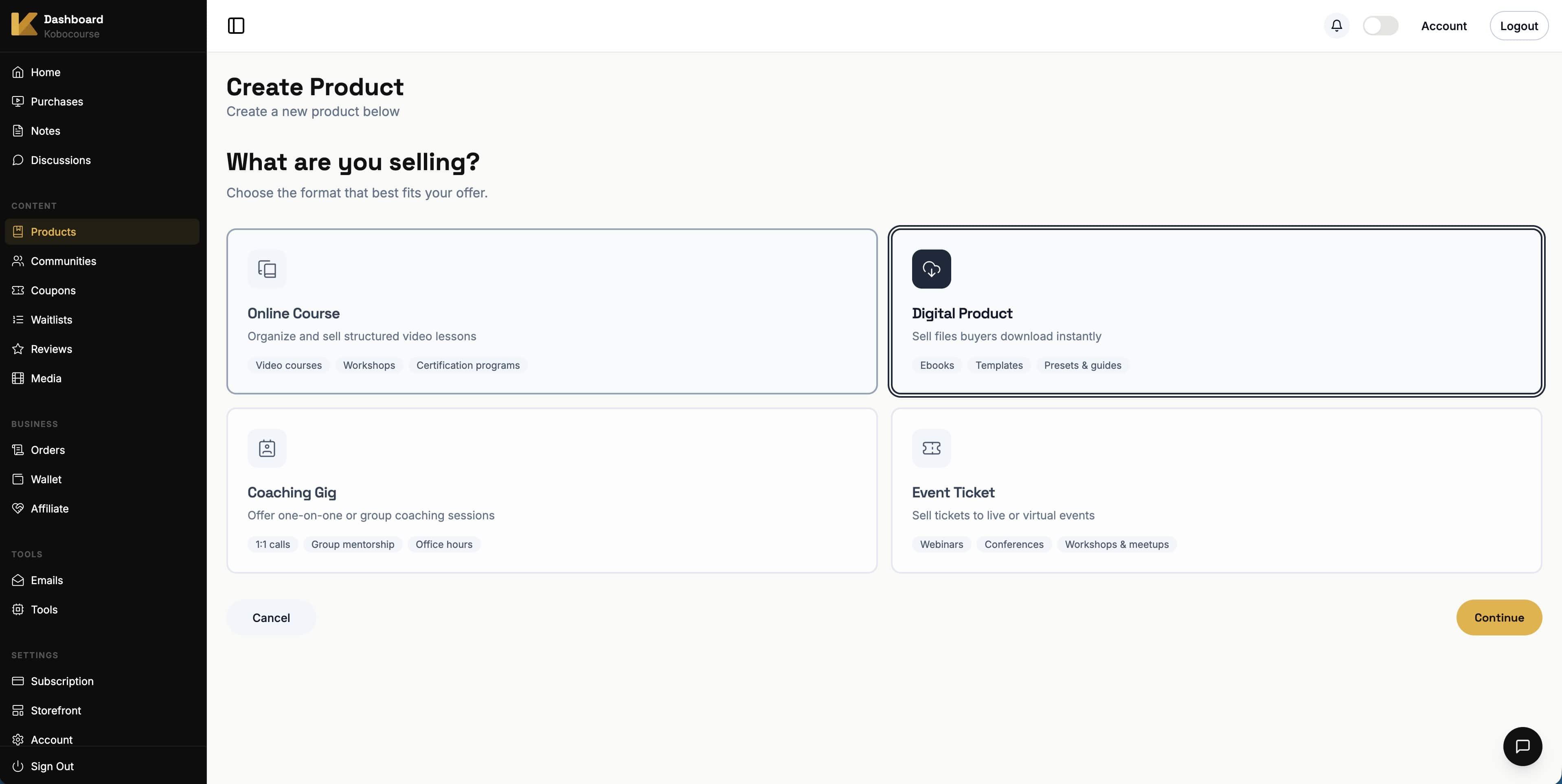
Go to Products → Add Product, select Digital Product, and continue through the wizard.
Step 2
Set title, description, and price
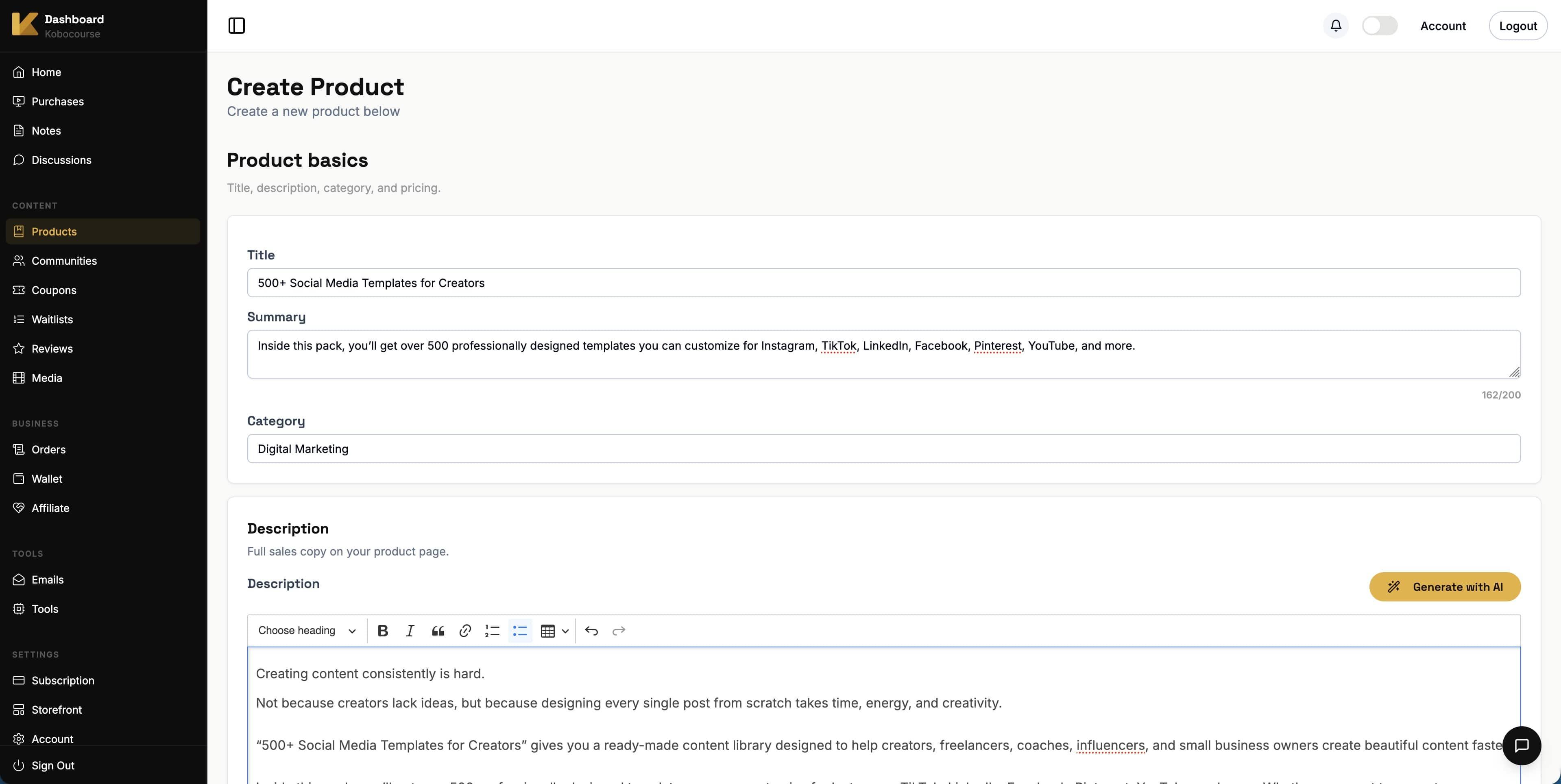
Write a compelling title and description. Set your price and currency. Use tiers if you offer multiple packages at different prices.
Step 3
Customize the sales page
Upload a thumbnail and optional preview content. Preview files are visible before purchase; deliverable files unlock after checkout.

Step 4
Upload files in Download Studio
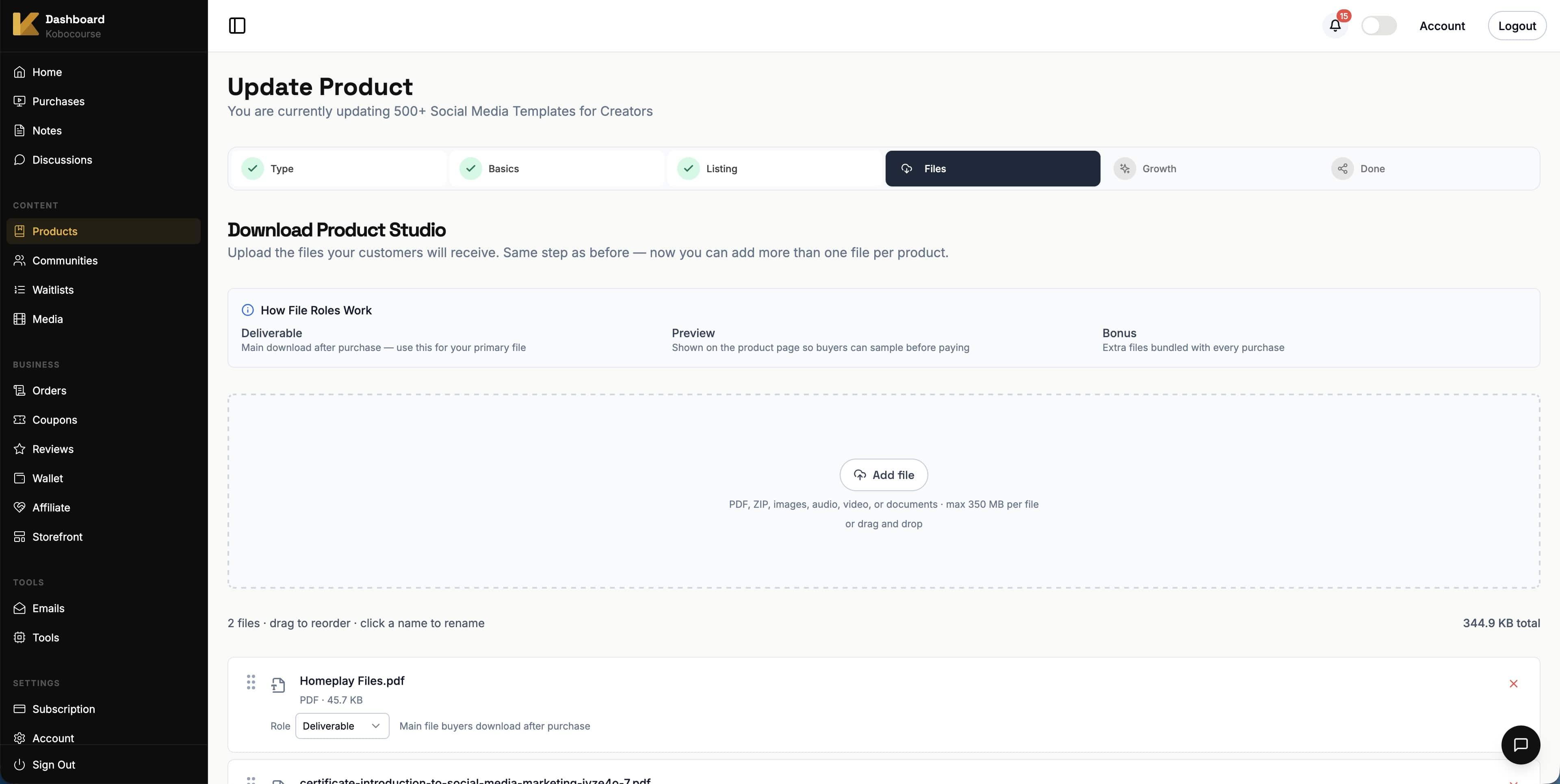
In the Download Studio step, upload each file and label it as deliverable, preview, or bonus.
Drag files to reorder how they appear in the buyer library. Enable tier mode to sell different file bundles at different prices.
Step 5
Add upsells and coupons
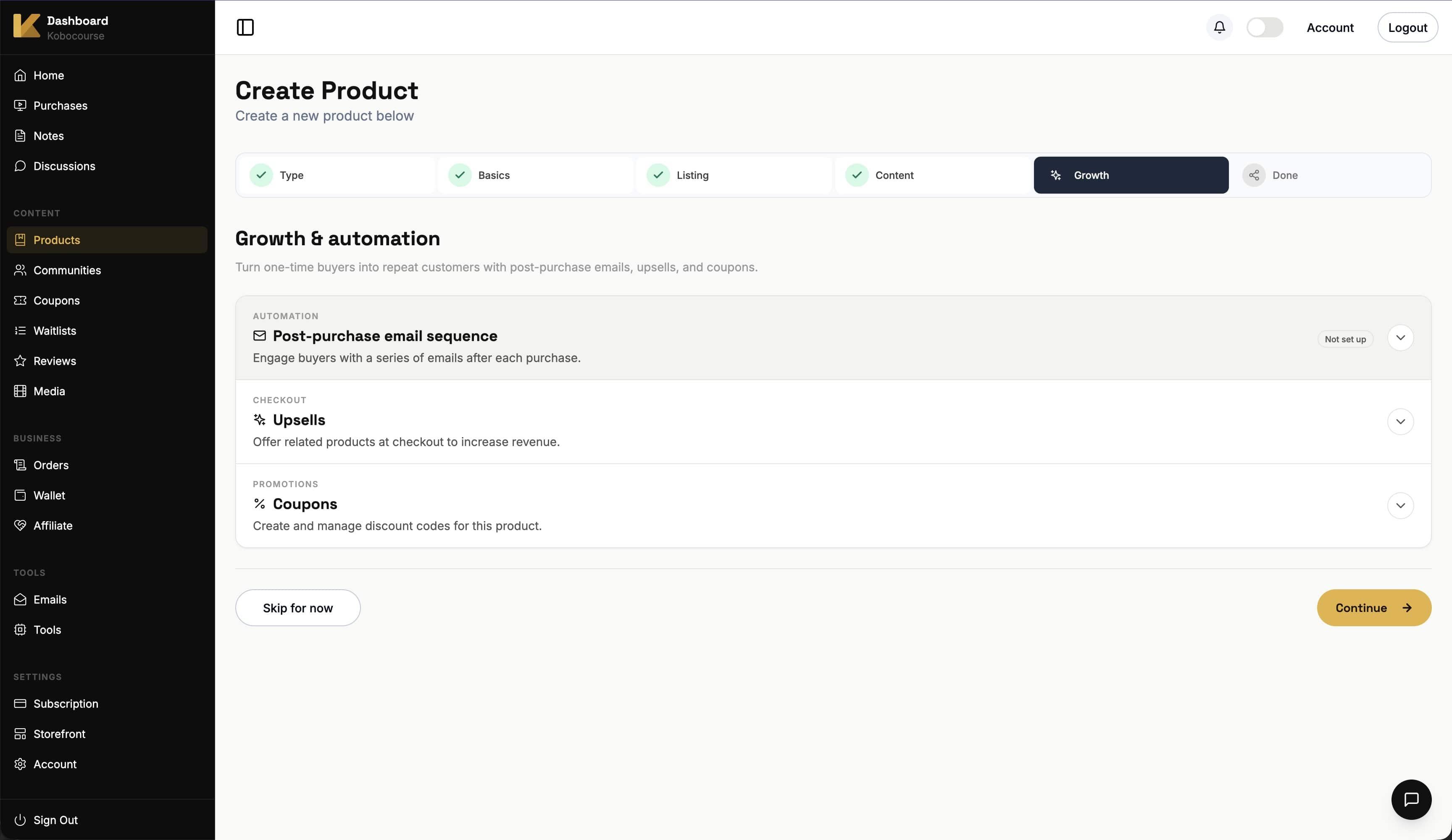
On the Growth step, attach related products as upsells and activate coupon codes for launches or partners.
Step 6
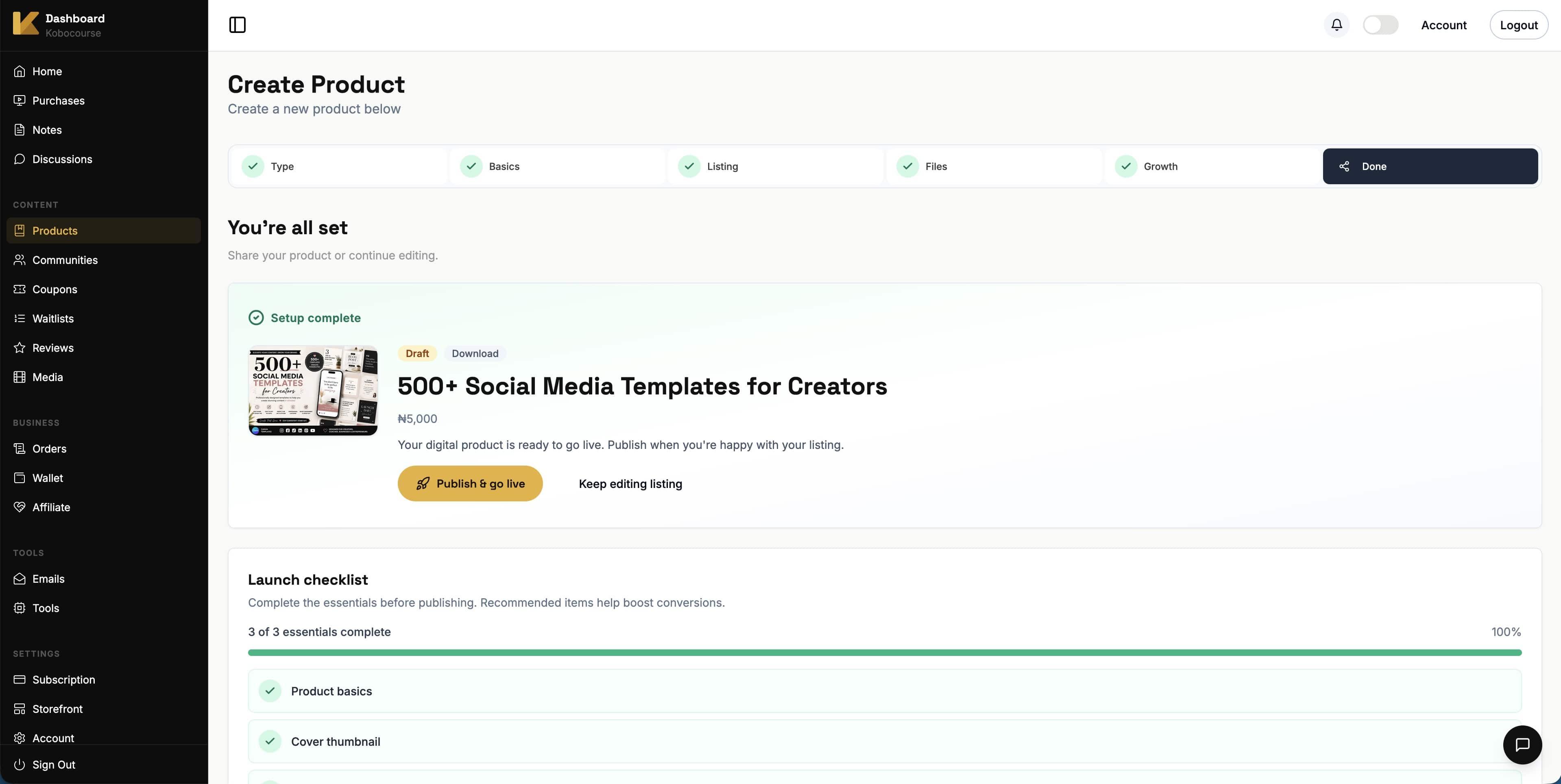
Publish and test delivery
Publish your product, complete a test purchase, and confirm files appear in the buyer download library.
Tips & troubleshooting
- Preview files build trust; deliverable files should be the full paid value.
- Use ZIP bundles for large asset packs to simplify delivery.
- International tier prices let you charge different amounts per currency when tier mode is on.
FAQ